- DATE:
- AUTHOR:
- The SafetyChain Team

Coming Soon: SafetyChain App v1.28!
Version 1.28 will deliver meaningful improvements to the login experience, support for new Dynamic Flow attachment & value locking functionality, and a wide range of form and UI fixes across iOS and Android.
This release is planned to go live in parallel with our larger platform release in July.
Sneak peek!
Login Experience Improvements
Signing in to the SafetyChain mobile app is now faster and more intuitive. The login screen has been redesigned with a cleaner layout that clearly separates SSO and standard login flows.
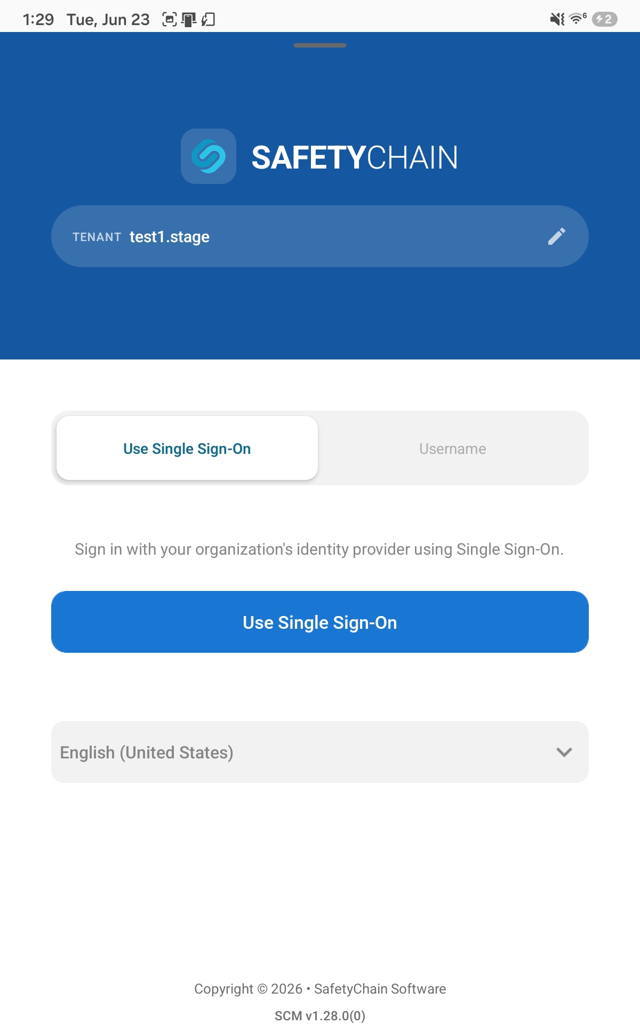 | 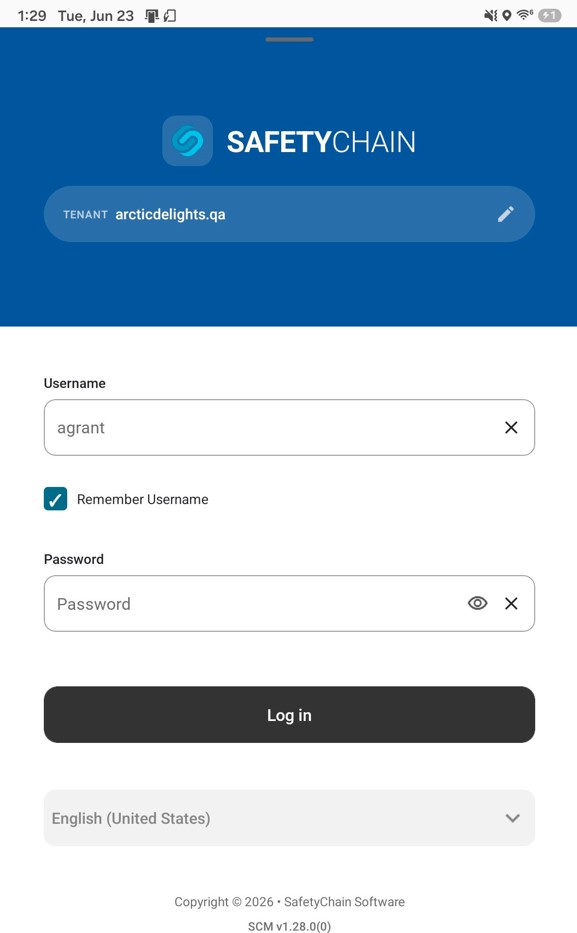 |
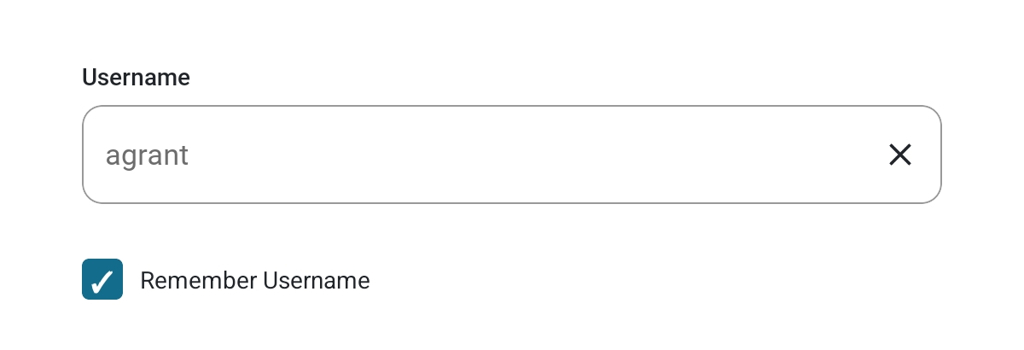
Remember Username — it’s back!
We’re restoring this M2 functionality in SafetyChain App! It can now save your username so you don't have to retype it every session.
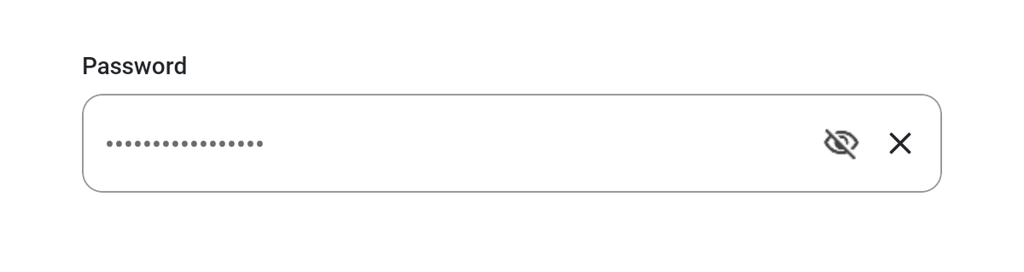
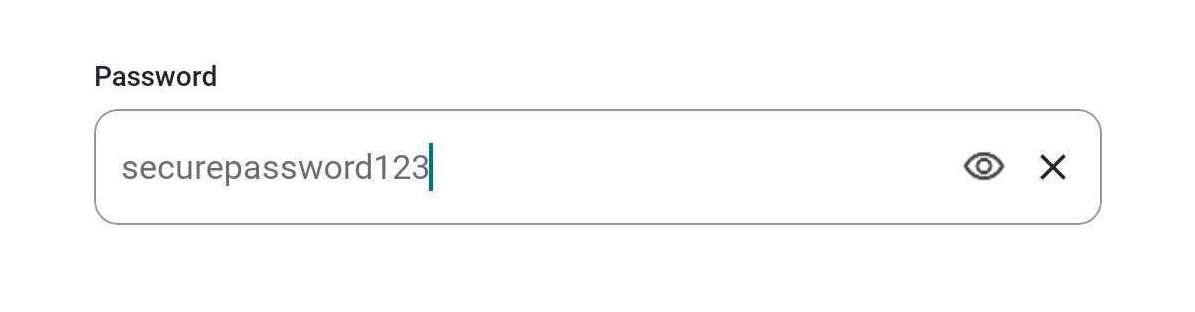
Show/Hide Password
A visibility toggle on the password field lets you confirm what you've typed before signing in.
Less friction at sign-in means operators spend more time on the floor and less time fighting their devices.
Behavior Change: Time Now Expressions
Time Now expressions are back to working the way you expect. Time fields configured with Time Now will hold their value after saving and reopening a form, so workflows like process duration calculations work reliably again. This behavior will be unified across web, mobile, and PC in the upcoming corresponding releases.
Dynamic Flow Attachment & Value Locking
Support for a new Dynamic Flow capability is on its way in v1.28. Admins will be able to set carried-over field values to read-only and lock carried-over attachments, so the data passed from one task to the next can't be edited or removed on the downstream task — keeping the original record intact for review and sign-off. On mobile, read-only fields show a lock icon and locked attachments carry an orange lock badge. Stay tuned for the full release note with setup details and visuals.
Availability
Version 1.28 is planned for release in parallel with our larger July platform release. Keep an eye out for updates!
Bug Fixes
Resolved an issue on iOS where attached photos could appear blank after being added to a form.
Fixed an issue where audit forms displayed the full possible point total even when some fields were not applicable to the selected resource.
Fixed an issue where the camera button could disappear when taking photos in landscape mode.
Resolved an issue where a "Select One" dropdown occasionally did not open on the first tap.
Fixed an issue where the name of the user who reset a chart value displayed as "undefined" instead of the correct username.
Fixed an issue where incomplete fields with input mask configured were not highlighted in red when a form failed to submit.
Fixed an issue where attachments carried over by a dynamic flow did not display consistently when a saved form was opened offline on a different device.
Fixed an issue where attachments added to an aggregate field could be lost after a form was saved on the web and synced to mobile.
Fixed an issue where a "Select Multiple" field required a second tap to register a selected value.
Resolved an issue where dependency rules on field groups were not applying correctly when reopening a saved form.