- DATE:
- AUTHOR:
- The SafetyChain Team

Dynamic Flow: Attachment & Value Locking
What's New
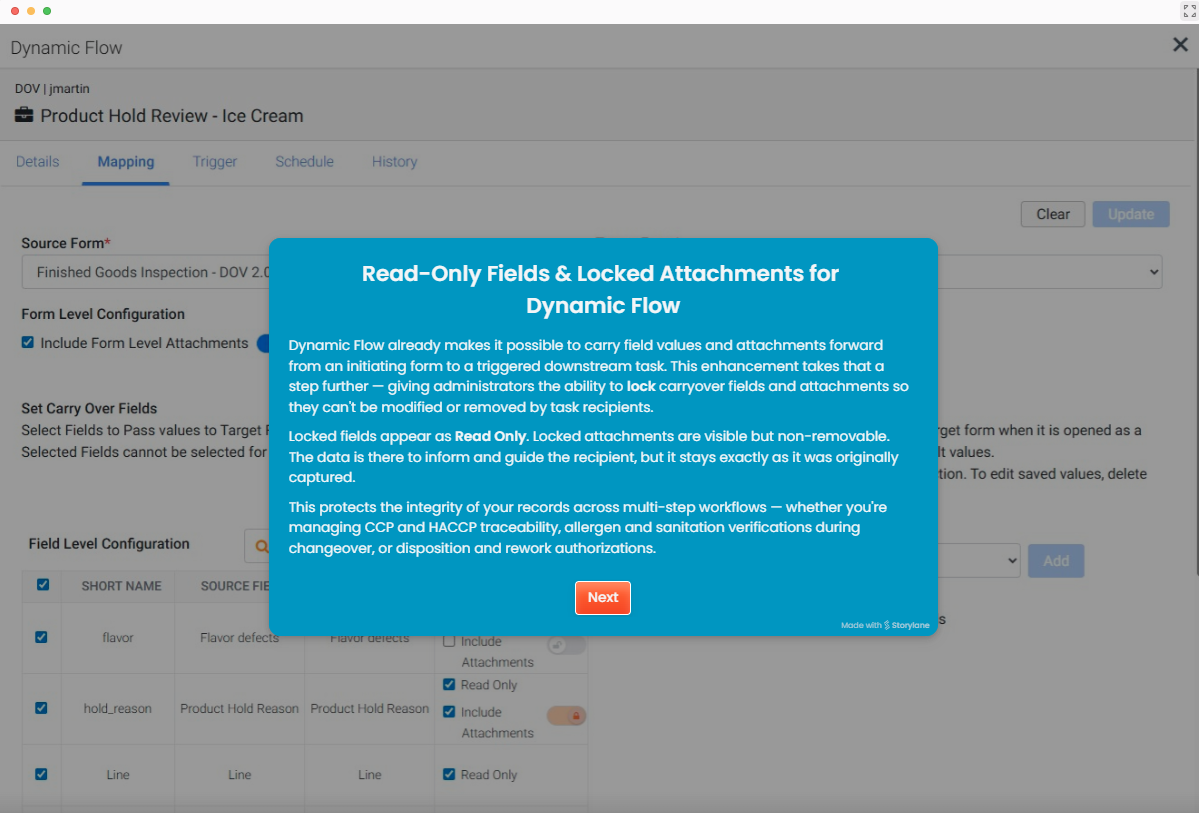
Dynamic Flow already carries field values and attachments from an initiating task to the follow-up task it triggers. Now you can control what the person on the downstream task is allowed to do with that carried-over context.
When configuring a Dynamic Flow, admins can set carried-over field values to read only and carried-over attachments to locked. A read-only value can't be edited on the follow-up task, and a locked attachment can't be removed. Each setting is configured per field, and form-level and field-level attachments can be locked independently.
These controls are available on Web and with Mobile version 1.28 (available now). PC app support is coming in the v7.0 update (see the notes under Availability).
See it in action:
Why It Matters
Multi-step workflows hand critical information from one task to the next — inspection findings, disposition codes, ingredient verifications. Until now, the recipient of a downstream task could change or delete that carried-over data, leaving room for original records to be altered after the fact.
Read-only values and locked attachments close that gap. The person reviewing or signing off on a follow-up task works with the original, unmodified data — which matters directly for compliance, traceability, and audit integrity.
New Table Layout
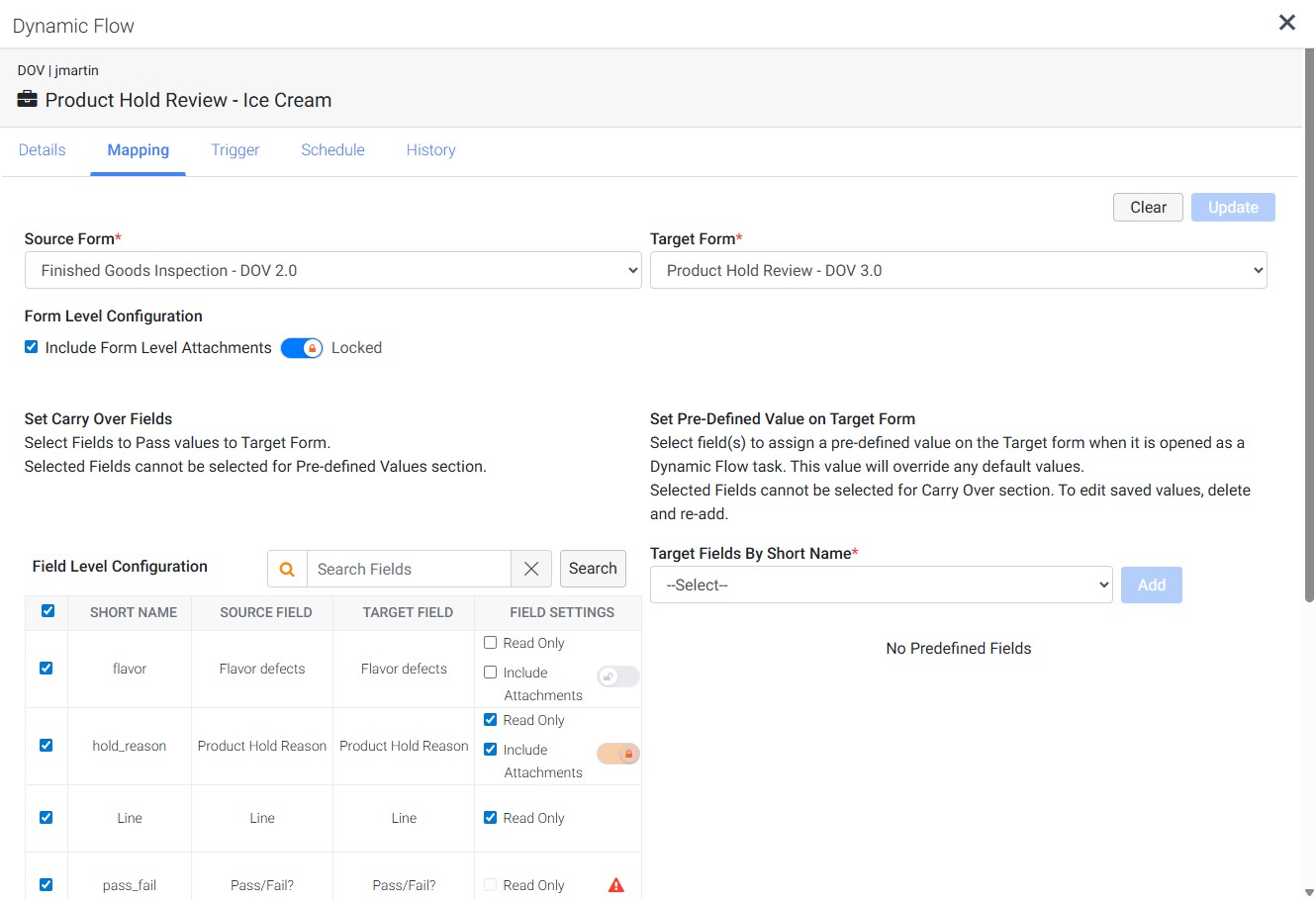
Configuring Mapping is clearer, too! The Field Level Configuration on the Mapping tab is now a structured table instead of a list. Each carried-over field shows its Short Name, Source Field name, and Target Field name side by side, with the new read-only and locked-attachment controls grouped under Field Settings on the same row.
The result is a single view where you can scan an entire flow at a glance and see exactly which values are read-only and which attachments are locked — no more hunting through a list to check each field's settings.
What It Looks Like in Action
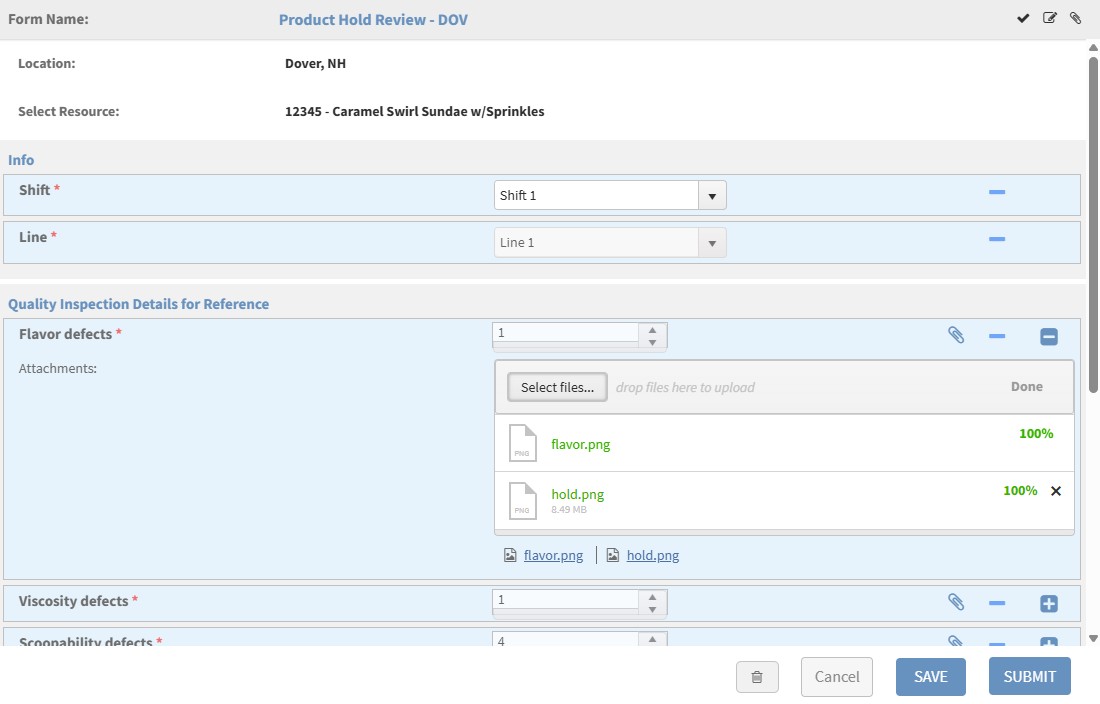
On Web. Carried-over values populate the matching fields automatically. Read-only values have a disabled, grayed-out look — present but not editable. Locked attachments show without a remove option, while recipients can still add their own attachments to the field. Form-level locked attachments behave the same way: visible and downloadable, but not removable.
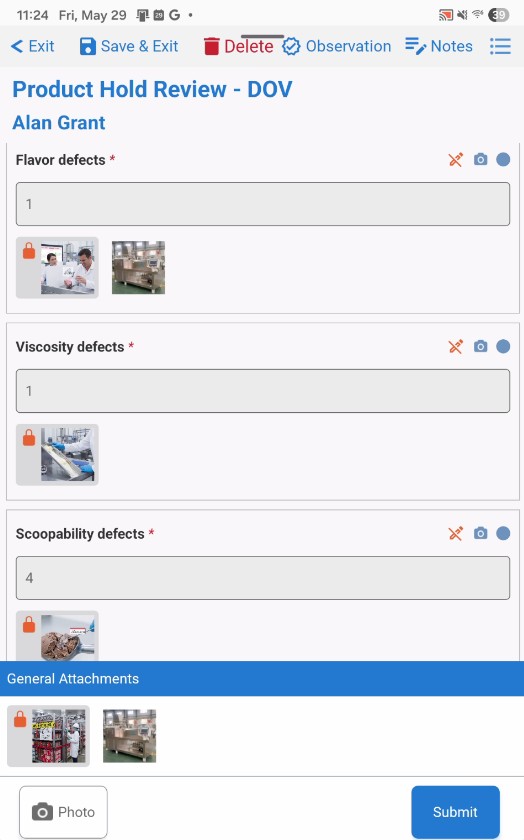
On Mobile. Read-only values appear in a grayed-out input with a lock icon in the field header, and the field can't be tapped to edit. Locked field-level attachments show as thumbnails on a gray background with an orange lock badge; anything the recipient adds appears outside the gray background so it's clear what's new. Form-level locked attachments sit in the General Attachments section at the bottom of the form, also with an orange lock badge.
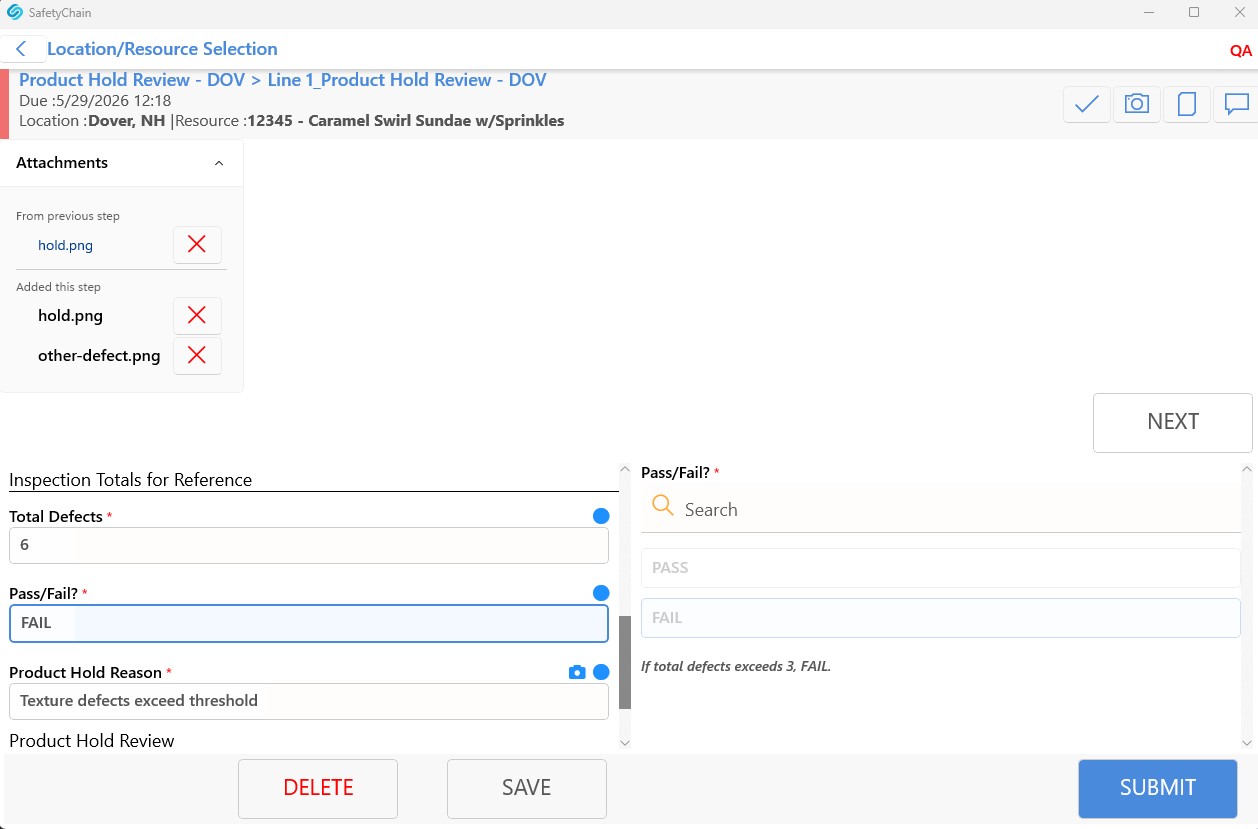
On the PC app. The form-level attachments panel separates carried-over files (From previous step, shown with a lock icon and no remove option) from recipient-added files (Added this step, removable with the ✕). On the form itself, read-only values are populated with a disabled, gray look, and locked field-level attachments show a lock icon with no remove option.
Benefits
Carried-over values and attachments stay intact through every handoff, so the record reflects what was actually captured at the source.
Recipients can still do their own work — read-only and locking protect only the carried-over content. Operators can add their own attachments and complete the new fields the downstream task asks for.
Clear visual cues show what's protected on every platform: grayed-out read-only fields and lock icons (an orange lock badge on Mobile) in place of a remove button.
Availability
Available Jul 15, 2026 on Web and Mobile (requires mobile v1.28). Both new and existing Dynamic Flows can be configured with these settings.
Important Note: Our PC app is finalizing some required under-the-hood updates. v7.0 timing will be confirmed soon, and it will include full parity for the Dynamic Flow feature!